Sometimes, for finding the desired images we need to rely on a different source. We need the search features that Google, Yahoo or Bing does not have. At least Yet.
Here are a couple of search engines that have a unique way of searching for images:
Pixolu - Pixolu helps you find images by their similarity to each other. Enter some keywords and Pixolu will search the image index of flickr and yahoo. Initially 200 images will be displayed. Select a few images that are similar to your desired results and Drag them to the upper right corner of the interface. Pixolu will refine the results and retrieve images similar to your selection.
 Forisearch
 – Use your native language to search images from foreign language websites. Forisearch uses the image index of Google, Yahoo and Bing for its search results. It also uses YouTube for foreign language video results.
 Ginipic
 - Ginipic takes image search to a whole new level. Now you can search image search engines, photo sharing websites or your own local picture collections simultaneously right from you desktop.
 Everystockphoto
 - A search engine for free photos that come from many sources and are license-specific. View a photo's license by clicking on the license icon, below and left of photos. Membership is free and allows users to rate, tag, collect and comment on the photos.
 Imagery
 - Imagery, probably has one of the best search interface. Enter a search term and it will open up the results in a new tab with 60 images loaded at a time. The tabbed interface lets you easily switch between your previous and new search results. Simply Click an image to load it in full size at the bottom of the page. You can change the preferences to select image format, Sort images by size, color and also choose the Safe Search option.
 Xcavator.net
 - A stock photo search portal for the creative community. It lets you browse visually through millions of stock images, vector illustrations and flash files from the leading providers all in one place. Get more relevant search results, faster than at other sites. Give it a try.
 FreeFoto
 – FreeFoto has the largest collection of free photographs on the Internet. There are over 130000 images with 181 sections organized into 3623 categories. Use these images for online and offline use under the usage guidelines.
 Nachofoto
: Find the most recent and relevant images with nachofoto. It is a Semantic Time-based Vertical Image Search Engine that delivers Fresh and Relevant image results for High Volume and Trending queries.
 Incogna
 - Incogna process the shape in every image and uses this to build a large scale searchable visual index. Incogna's image search technology lets you explore visual data in a whole new way.
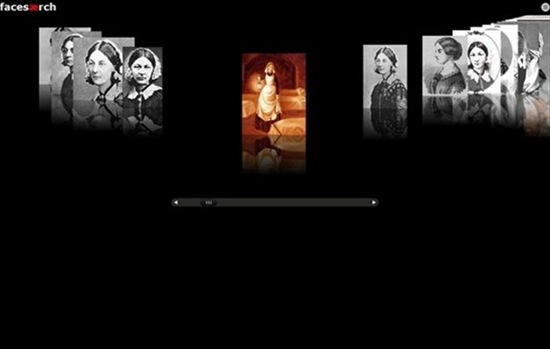
 Facesaerch
 - Is an image search engine for faces. It uses the Google API for results.
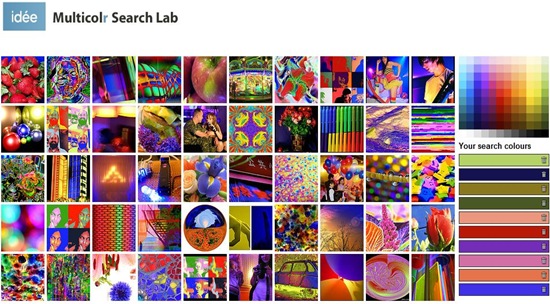
 Multicolr Search Lab
 - Select up to 10 colors and it will show the most interesting images containing those colors. Multicolr Search Lab extracted the colors from 10 million of the most interesting Creative Commons images on Flickr.
 Visual Search Lab
 – Combine tags with visual search for never-before-seen combination of images from a database of nearly 3 million stock photos from Alamy.
 PicFog
 - Using twitter and the connecting image upload services, PicFog shows pictures from twitter as they're posted, in real time.